Table of Contents
- Choose a compact filing container
- Sort into a small number of broad categories
- Know what actually needs to be kept long-term
- Digitize what doesn't need to be a physical original
- Review the system once a year
- A real example: replacing a chaotic drawer with a single file box
- Common Mistakes
- Quick Recap
- Frequently Asked Questions
Quick Summary
Organize important documents in a small home using a slim, portable file box or accordion folder sorted into a handful of broad categories: identification, financial, medical, housing, and tax records. Keep only documents that genuinely need to be retained long-term, scan or photograph what can be stored digitally instead, and review the system once a year to remove anything outdated.
Paper clutter tends to accumulate quietly in a small home, since important documents get set aside "to file later" and instead pile up on a counter or in a junk drawer. A full-size, multi-drawer filing cabinet solves this in a house with room to spare, but it's rarely a realistic option in a small apartment, which makes a more compact filing solution worth setting up instead.
This guide covers a simple system using a slim file box or accordion folder, organized into a small number of broad categories, along with guidance on which documents genuinely need to be kept long-term versus which can be digitized or discarded.
See also How to Declutter Your Home Before a Move (Step-by-Step) for a closer look at a related project.
Choose a compact filing container
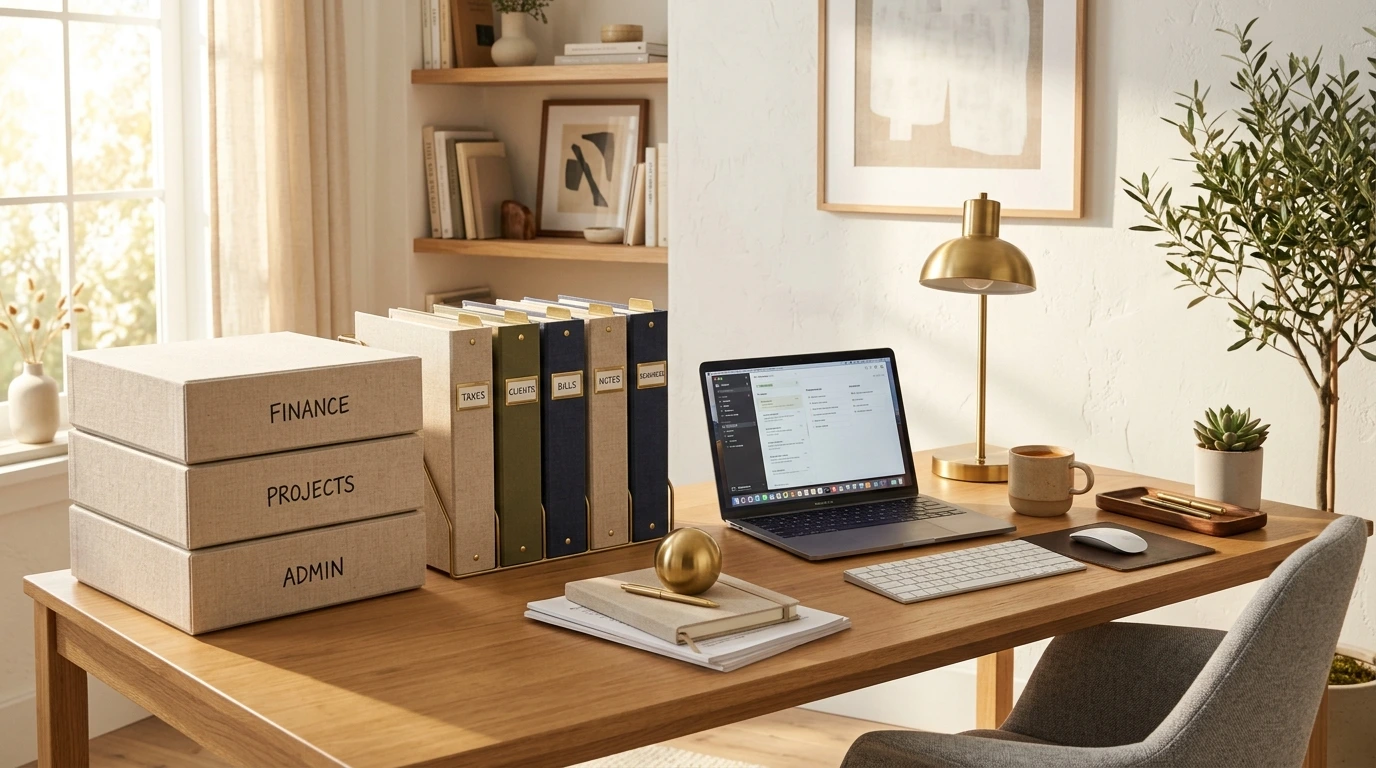
A slim file box, sized to hold hanging folders but no larger than roughly a foot wide, or an accordion folder with several built-in compartments, both provide real filing capacity without the footprint of a traditional filing cabinet. Either option can sit on a closet shelf, in a home office setup like the one covered in our small home office guide, or in a drawer, rather than requiring dedicated floor space.
Sort into a small number of broad categories
Rather than creating dozens of narrow folders, a handful of broad categories, identification, financial, medical, housing, and tax records, covers most of what a typical household needs to keep, without the filing system itself becoming a maintenance burden. Within each broad category, documents can simply be kept in rough chronological order, with the most recent on top, rather than needing further subdivision.
You might also like How to Organize a Small Medicine Cabinet.
Know what actually needs to be kept long-term
Not every piece of paper that arrives needs permanent storage. Documents like birth certificates, social security cards, property deeds, and tax returns for the required retention period generally need to be kept as physical originals. Many other documents, like utility bills or pay stubs, are often only needed for a short window and can be discarded once that period passes or once they're confirmed to be digitally accessible elsewhere.
When in doubt about how long to keep a specific type of financial or legal document, checking current guidance from a relevant official source (like a national tax authority for tax-related records) is more reliable than a general rule of thumb, since retention requirements can vary and change over time.
Digitize what doesn't need to be a physical original
For documents that don't legally need to be kept as physical originals, scanning or photographing them and storing the digital copy in a well-organized folder (backed up somewhere other than just a phone) can eliminate a significant amount of physical paper. This is especially useful in a small home, where every folder or box of paper takes up space that could otherwise be used for something else.
For more on this, see Best Multipurpose Furniture for Small Living Rooms.
Review the system once a year
Set a recurring annual reminder, potentially paired with tax season or another existing yearly task, to review the filing system: removing documents that are no longer needed, confirming nothing important has been missed, and making sure the categories still make sense for the household's current situation. This keeps the system from slowly growing indefinitely with outdated paperwork.
A real example: replacing a chaotic drawer with a single file box
In a small apartment, important paperwork had been accumulating in a kitchen drawer for years, mixed with takeout menus and miscellaneous items, to the point where finding a specific document, like a lease or an insurance policy, meant emptying the entire drawer onto the counter.
The fix used a single $15 slim file box with five hanging folders, one for each broad category. Sorting through the drawer took about an hour, during which roughly half the paper turned out to be outdated utility bills and expired coupons that were discarded immediately. What remained, organized into the five categories, fit easily into the new box, which was then stored on a closet shelf. The kitchen drawer went back to holding only kitchen-related items, and finding a specific document afterward took under a minute instead of a full drawer excavation. A sticky note inside the box listing the five category names, added as an afterthought, turned out to be a small but useful reminder during the first few months while the new system was still becoming habit.
See our full Systems, Habits & Seasonal guides for more related guides.
| Category | Examples | Typical retention |
|---|---|---|
| Identification | Birth certificate, passport copy, social security card | Permanent, physical original |
| Financial | Bank statements, investment records | Varies, check current guidance |
| Medical | Vaccination records, major medical history | Long-term, especially for ongoing conditions |
| Housing | Lease, mortgage documents, insurance policies | Duration of tenancy/ownership plus buffer |
| Tax records | Filed returns and supporting documents | Varies by jurisdiction, check current guidance |
Tip
Keep a separate, clearly labeled folder or envelope specifically for documents currently in progress, like an active insurance claim or a pending application, so they're not mixed in with permanent, settled records.
Watch Out For
Never rely on a single digital copy stored only on one device as your sole backup for critical documents; use at least one additional backup location, such as a separate cloud storage account, in case of device loss or failure.
Common Mistakes
- Letting important paperwork accumulate in a general junk drawer instead of a dedicated system.
- Creating too many narrow filing categories, making the system itself a burden to maintain.
- Keeping every piece of paper indefinitely instead of knowing what actually needs long-term retention.
- Storing digital backups in only one location with no secondary backup.
- Skipping an annual review, letting outdated documents accumulate indefinitely.
Quick Recap
- Choose a compact file box or accordion folder sized for a small home.
- Sort documents into a small number of broad categories.
- Learn what actually needs long-term physical retention versus what can be discarded.
- Digitize documents that don't need to be kept as physical originals.
- Review the entire system once a year and remove what's no longer needed.
Frequently Asked Questions
Do I need a filing cabinet to organize documents in a small apartment?
No, a slim file box or an accordion folder with a handful of broad categories can handle most households' document organization needs without the footprint of a full filing cabinet.
How many filing categories do I need for household documents?
A handful of broad categories, such as identification, financial, medical, housing, and tax records, is usually enough for most households without making the system overly complex to maintain.
Which documents should be kept as physical originals?
Items like birth certificates, social security cards, and property deeds generally need to be kept as physical originals; many other documents can be digitized once no longer needed in paper form.
How long should I keep tax records and financial documents?
Retention requirements vary by document type and jurisdiction and can change over time, so checking current guidance from a relevant official source is more reliable than a general rule of thumb.
Is it safe to rely only on digital copies of important documents?
It's safer to keep at least one additional backup beyond a single device, such as a separate cloud storage account, in case of device loss, damage, or failure.
Conclusion
Important documents don't need a full filing cabinet to stay organized in a small home, a compact file box, a handful of broad categories, and a clear sense of what actually needs long-term physical retention cover most households' needs. Digitizing what doesn't need to remain a physical original and reviewing the system once a year keeps paper clutter from quietly reclaiming a kitchen drawer or counter.

Real Home Habits Editorial Team
Real Home Habits Editorial Team writes practical, step-by-step home organization guides for renters, small-space dwellers, and busy families.